About Flux Charts
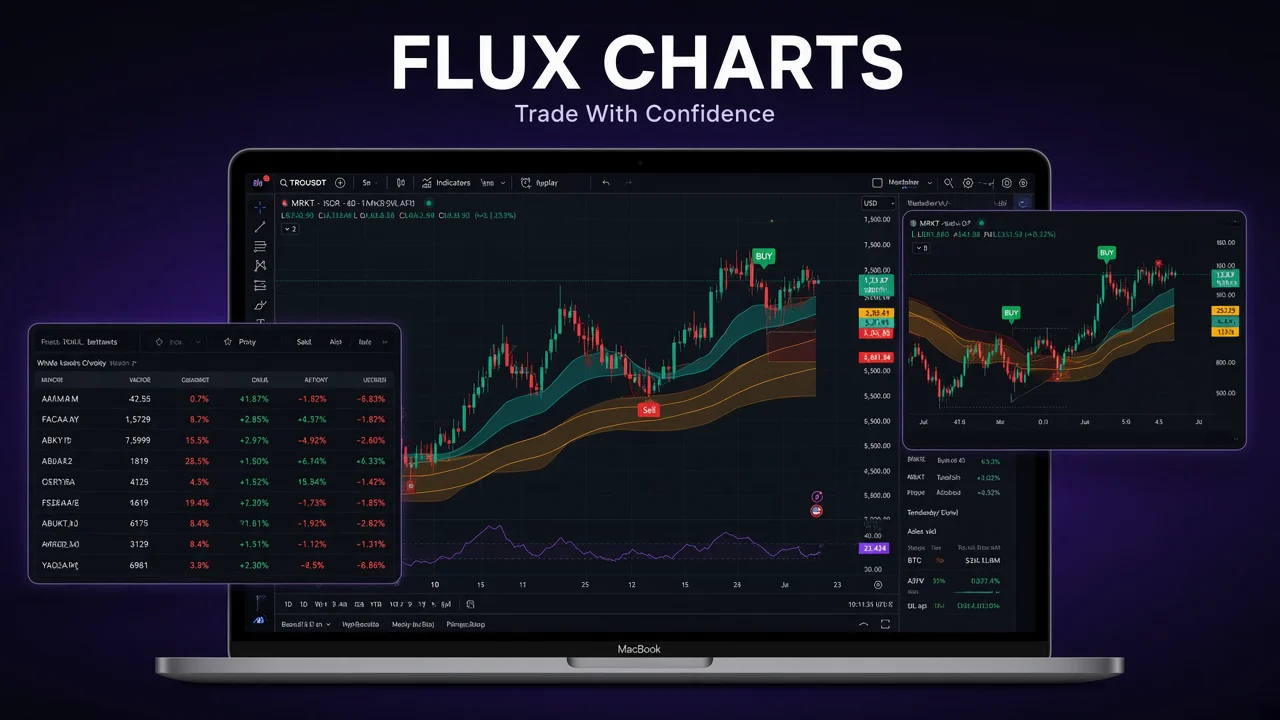
Flux Charts is a TradingView toolkit for traders who want clarity instead of chart clutter. The homepage pitch is “Your Edge, Visualized” — indicators that highlight structure, momentum, and key levels so you can size up a market fast and trade with more discipline.
One paid plan unlocks three focused toolkits, each with a matching screener and a no-code backtester: the SFX Algo Toolkit for signals, trend overlays, and volatility bands; the MTF Supply & Demand Zones Toolkit that auto-draws and merges zones across timeframes; and the Price Action Toolkit (PAT) for structure, momentum shifts, liquidity, and smart-money concepts. Flux Charts also publishes 50+ free indicators on TradingView and runs an active Discord where subscribers get support and share setups.
Flux Charts develops free and premium indicators for stocks, crypto, and forex. The tools run as invite-only scripts on TradingView — a separate platform — after you subscribe on fluxcharts.com and link your TradingView username. It is a charting toolkit, not a broker or an advisory service.
Key features
From Flux Charts’ live homepage, setup guides, and FAQ:
- SFX Algo Toolkit: real-time signals, trend overlays, and volatility bands that help confirm bias without forcing the trade. Flux Charts describes SFX as its proprietary invite-only algorithm for finding entries and exits.
- MTF Supply & Demand Zones Toolkit: auto-draws key zones across multiple timeframes, merges overlapping zones, and alerts you when price enters them.
- Price Action Toolkit (PAT): modular tools for market structure, momentum shifts, and liquidity — built for traders who use price action and smart money concepts (order blocks, fair value gaps, liquidity grabs, and more).
- Matching backtesters: SFX, S&D, and PAT backtesters let you test the same overlays you trade with — long/short performance, zone quality, and custom price-action conditions — with no code.
- Matching screeners: watch multiple assets in real time for SFX signals, proximity to supply/demand zones, or price-action structure shifts without flipping charts.
- Works on any TradingView market: stocks, crypto, and forex, from scalping timeframes to higher-timeframe swing work. A free TradingView account is enough to run the scripts (free TradingView accounts are limited to three indicators on a chart at once).
- 50+ free indicators + Discord: Flux Charts publishes a large free library on TradingView and runs a Discord with announcements, help-center tickets, public chat, and a premium channel for subscribers. Support is also available at support@fluxcharts.com.
- Get set up in minutes: subscribe, link your TradingView username, open any chart, and add the tools from Indicators → Invite-only Scripts. If nothing appears, the usual fix is updating the TradingView username on the Flux Charts connection page.
How it works
- Open Flux Charts from our partner link and choose monthly or annual billing on the Pro plan.
- Enter code SAVEONTRADING at checkout for 20% off your first billing cycle, then link your TradingView (and Discord, if you want the premium role).
- On TradingView, open Indicators → Invite-only Scripts, add SFX, PAT, or the supply/demand toolkit, and run the matching screener or backtester on a market you already trade.
Flux Charts runs entirely on TradingView — desktop or mobile. You cancel from the Flux Charts billing page; access continues through the end of the period you already paid for.
Pricing & SaveOnTrading offer
Flux Charts sells one paid Pro plan that includes the three toolkits, their screeners and backtesters, and community access (USD; confirm totals at checkout):
- Annual — $59.99/month ($719.88 billed yearly): the headline price on Flux Charts’ homepage. Lowest per-month rate if you pay a year up front.
- Monthly — about $119.99/month: the same Pro toolkit billed month to month. Recent October 2026 pricing checks list this as the monthly rate; confirm the live total before you pay.
SaveOnTrading’s partner offer is 20% off the first billing cycle on all plans with code SAVEONTRADING. It applies to monthly and annual checkout. Renewals bill at the regular rate.
- Monthly with code: about $95.99 for the first month (save ~$24), then the regular monthly rate.
- Annual with code: about $575.90 for the first year (around $47.99/month), then the regular $719.88/year unless another offer applies.
Start from our partner link so the referral tracks, then enter SAVEONTRADING at checkout. Taxes are added where applicable. Flux Charts also publishes 50+ free TradingView indicators that need no paid plan.
Who Flux Charts is for
- TradingView users who want one toolkit for signals, supply/demand, and price-action structure instead of stacking ten public scripts
- Discretionary traders who want overlays that confirm bias — trend, volatility, zones, liquidity — without a black-box “take the trade” bot
- Traders who want to backtest those same overlays visually before risking size, with no Pine coding
- Multi-market traders (stocks, crypto, forex) who want screeners that watch a list while they stay on one chart
It is not a broker, a journal, or a standalone charting platform. You still need a TradingView account, and the tools are research overlays — not a promise of profit.
Flux Charts vs other TradingView toolkits on SaveOnTrading
SaveOnTrading also covers TradingView-based toolkits such as Chart Prime and charting platforms like TradingView, TrendSpider, and Bookmap. Flux Charts’ differentiation is three complete workflows — SFX signals, multi-timeframe supply & demand, and price-action/SMC — each with its own screener and no-code backtester, plus a large free-indicator library on TradingView.
Trade-offs to weigh: you are locked to TradingView (a free account works, but you only get three indicators on the chart). Chart Prime is a closer like-for-like alternative if you want invite-only SMC overlays. TrendSpider and Bookmap are full platforms, not indicator packs. Flux Charts is the “one TradingView system from setup → backtest → scan” option — and 20% off the first cycle is the cheapest way to try the full Pro toolkit.
Limitations
- Not investment advice. Signals, zones, and backtests are tools for your own process; past overlay performance does not guarantee future results.
- Requires TradingView. Premium Flux scripts are invite-only; a mistyped TradingView username is the usual reason they do not appear after checkout.
- Free TradingView accounts can only place three indicators on a chart at once, so you may not run the full toolkit stack without a paid TradingView plan.
- Flux Charts’ terms describe a 30-day money-back guarantee on the first monthly payment only. Annual (and other non-monthly) plans are not eligible. Cancelling is not the same as requesting a refund — you have to ask via email or a Discord ticket. Confirm current refund terms before you pay a year up front.
- The SAVEONTRADING code is 20% off the first billing cycle only. The next month or year bills at the regular rate unless Flux Charts applies another promotion.
Affiliate disclosure
Links to Flux Charts on this page are affiliate links (paid links). If you subscribe after using them or the SAVEONTRADING code, SaveOnTrading may earn a commission. The 20% first-cycle discount still applies to you — commission is paid by Flux Charts, not added to your price. Flux Charts is a TradingView indicator toolkit, not investment advice; nothing on this page is a personal recommendation.
How the SaveOnTrading offer works
Open Flux Charts through our partner link at fluxcharts.com so the referral tracks from your first visit, then apply code SAVEONTRADING for 20% off your first billing cycle on any plan — monthly or annual. Confirm the discounted total at checkout before you pay — list prices can change.
How to redeem
- Click the partner link on this SaveOnTrading deal page.
- On fluxcharts.com, choose monthly or annual Pro billing and create your account.
- Enter code SAVEONTRADING at checkout (copy it from the sidebar on this page) and confirm 20% off is applied to the first charge.
- Link your TradingView username, then add the invite-only scripts from Indicators → Invite-only Scripts.
- Cancel anytime from the Flux Charts billing page if you do not want the subscription to renew at full price after the first cycle.
/ FAQ
Common questions about Flux Charts
10 questions